
System Configuration
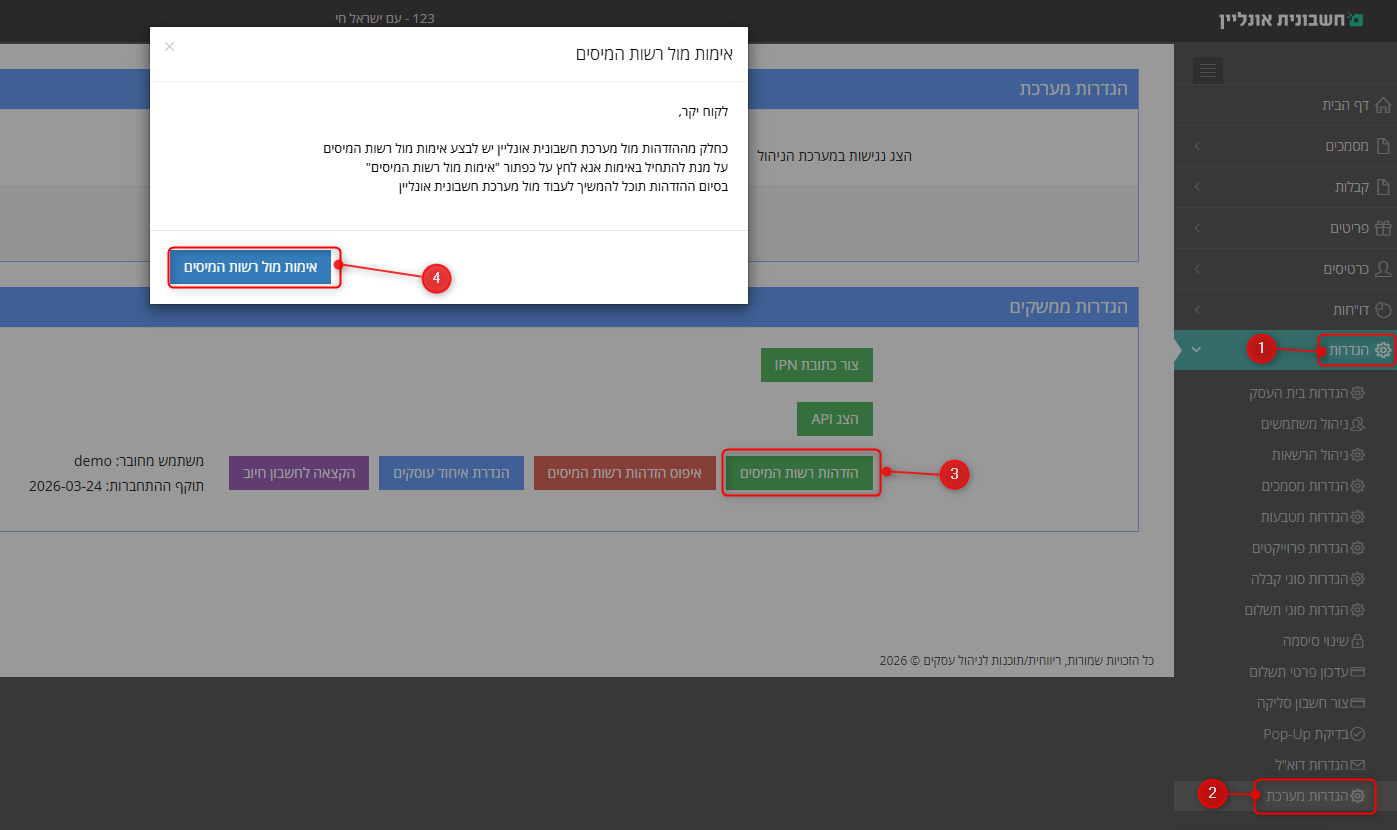
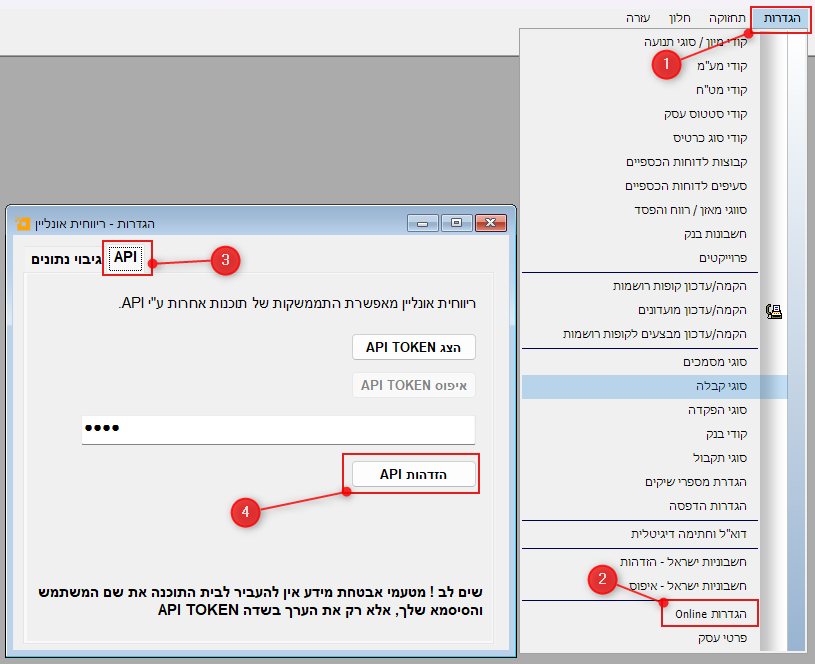
Follow the settings shown in the image below to enable the connection.
Using Invoice Online
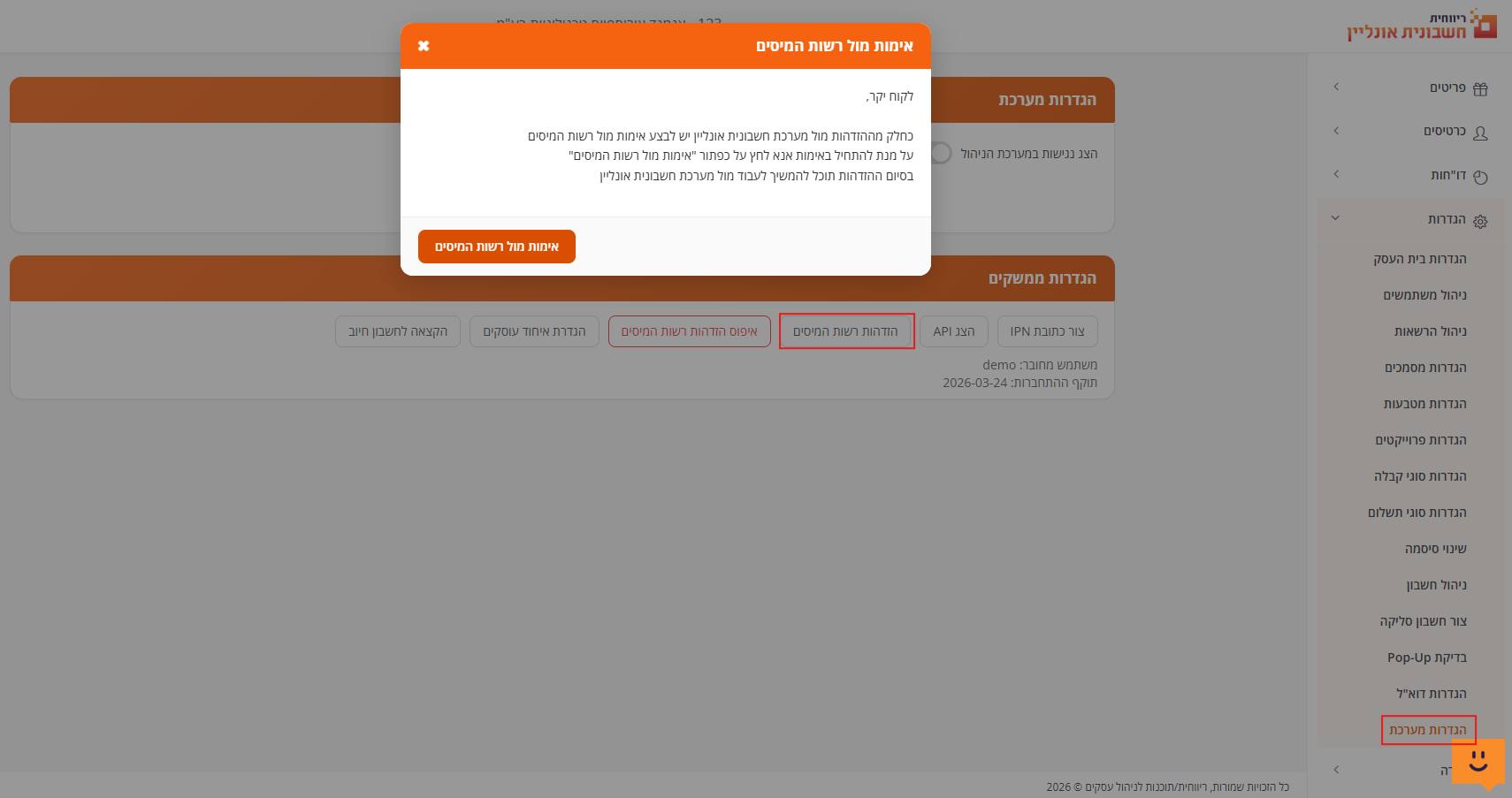
Older Invoice Online Interface
Using Rivhit Online
Important Notes
- The integration must be performed using the specific user account associated with the API Token that generates the documents.
- The confirmation number returns in the Document.New response as
confirmation_number, same for Donation Receipt Number. - If a document was produced without a confirmation number due to connection issues, you can request a retroactive number via Document.InvoiceApproval.
Updated 17 days ago
Did this page help you?